QuietComfort Ultra Earbuds (2nd Gen) + AirFly Pro Set


Sets
QuietComfort Ultra Earbuds (2nd Gen) + AirFly Pro Set
Powered by AirFly Pro, QuietComfort Ultra Earbuds (2nd Gen) can now work their wireless magic in the sky, at the gym, and other places without Bluetooth® connectivity. The tiny portable transmitter plugs directly into a headphone jack and pairs seamlessly with our premium in-ear earbuds, allowing you to enjoy their iconic audio and world-class noise cancelling wirelessly. Connect another pair for shared listening with a friend or even use AirFly Pro 2 as an AUX IN adapter to stream your audio from your smartphone to car speakers, boats, or older speakers without Bluetooth. And with up to 25 hours of brag-worthy battery, AirFly Pro 2 makes your favourite earbuds more unstoppable than ever, outlasting even the longest commercial flights.
Price is: $379.00
Set includes:

Bose QuietComfort Ultra Earbuds (2nd Gen)
When music means everything, there’s the next-gen QuietComfort Ultra Earbuds. Because every listen deserves the premium, personalized audio of CustomTune tech, our best in-ear noise cancellation, and the comfortable fit of our best earbuds. So you get a heart-stopping experience every time you press play.
4 Interest-free installments with Klarna or Afterpay.
Learn more
QuietComfort Ultra Earbuds (2nd Gen) + AirFly Pro Set
Price is: $379.00
Product details
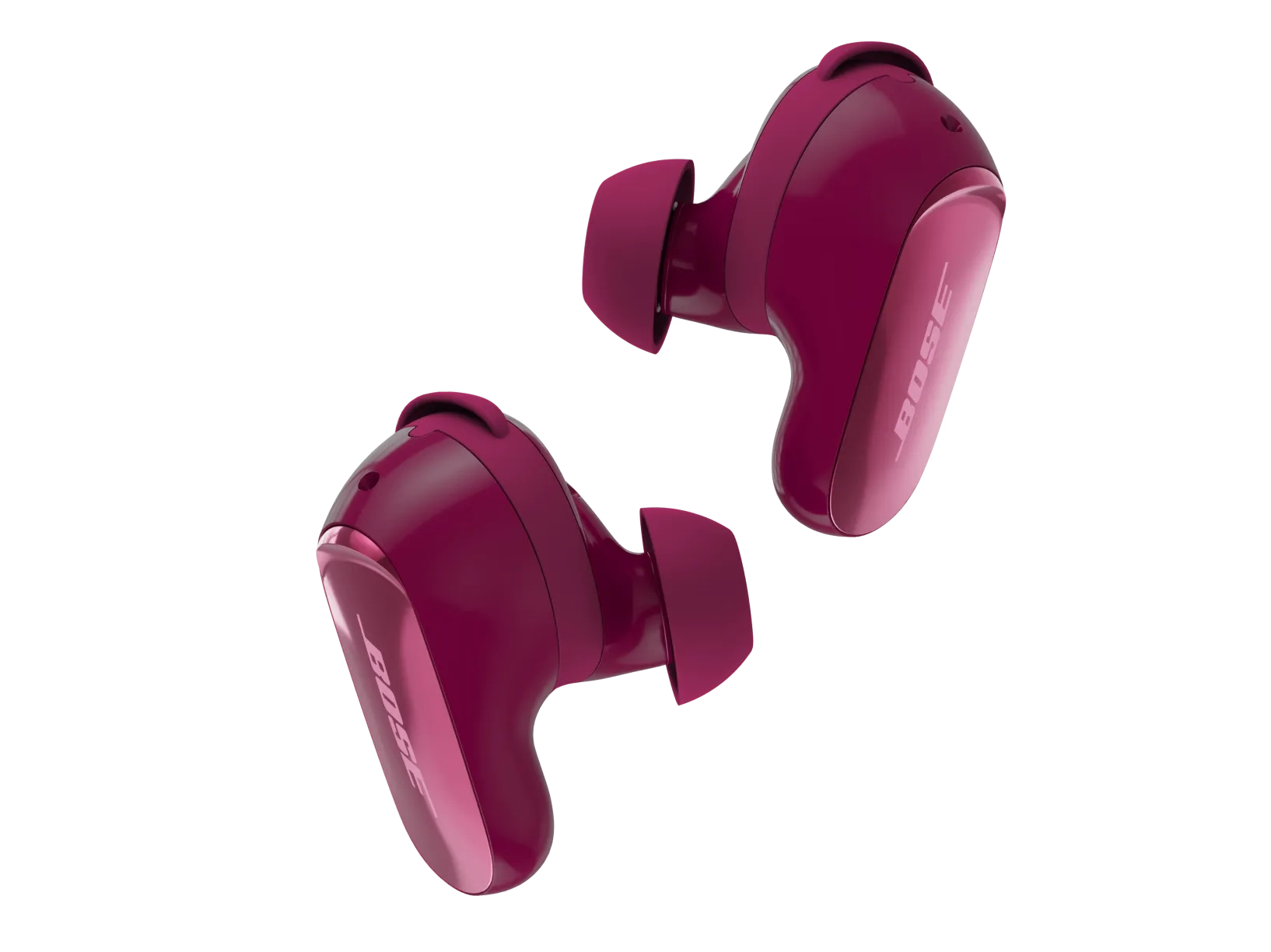
What’s in the box
- 2 Bose QuietComfort Ultra Earbuds (2nd Gen)
- Bose Fit Kit:
- 3 pairs of eartips
- 3 pairs of stability bands (1, 2, 3)
- Wireless charging case
- 12" USB-C® (A to C) cable
- Safety sheet
USB charger requirement
- The power delivered by the charger must be between the wattages (W) shown in order to achieve the maximum charging speed.
- Power adaptor not included.


| Headphone Fit | In Ear |
|---|---|
| Microphones | Built-in Microphone |
| Noise Cancelling | No |
| Noise Control Type | Adjustable Noise Cancelling |
| Water-Resistant | IPX4 |
| Maximum Talk Time | 4 |
| Bud Single | 3.0 cm H x 1.24 cm W x 2.49 cm D (0.01 kg) |
| Case | 6.6 cm H x 5.97 cm W x 2.69 cm D (0.06 kg) |
| Product Material | Plastic (PC-ABS), Silicone, Metal |
| Rechargeable | Yes |
| Battery Life | 6 hours |
| Battery Charge Time | 2 hours |
| Charging Accessory included | Yes |
| Charging Interface(s) | USB C PORT |
| Wireless Connectivity | A2DP Bluetooth Audio Streaming, HFP Bluetooth, Snapdragon Sound |
| Bluetooth Version | 5.3 |
| Bluetooth Range | 30' |
| Bose App | Bose App |
QuietComfort Ultra Earbuds (2nd Gen) offer all the same features as their predecessor, QuietComfort Ultra Earbuds, plus:
- Improved call quality through AI-based background noise suppression
- Wireless charging
- Improved ActiveSense (adaptive noise cancellation) technology
- Case battery level reporting in the Bose app
- Option to disable touch controls via the Bose app
Cinema Mode is a preset mode that utilizes Bose TrueSpatial technology to transform stereo audio into theatre-like, immersive sound for a cinematic experience.
SpeechClarity is an AI-based proprietary technology that filters out your surroundings and wind, so you can be heard clearly on phone and video calls.
ActiveSense is a type of adaptive Aware Mode that listens for very loud environmental sounds and selectively applies noise cancellation appropriate for both the loudness and duration of the detected sound. This way, you can remain aware of your surroundings, without having your music drowned out by interruptions like passing vehicles and loud appliance motor noises, such as a coffee grinder or blender. With this update of ActiveSense, the experience is refined so the changes in noise cancellation levels are less noticeable, contributing to an overall smoother adaptive Aware Mode experience. ActiveSense can be enabled and disabled in the Aware Mode setting.
Immersive Audio allows you to hear audio as if it were coming from beyond your QuietComfort Ultra Earbuds (2nd Gen), thereby allowing for a more spacious, natural listening experience. Your music and other audio will have a wide sound stage in front and to the sides, just as if you were listening to a pair of stereo speakers and seated at the sweet spot between them.
Bose CustomTune audio calibration is a proprietary Bose technology that optimizes the audio playback you hear, based on the unique physical properties of your ear and ear canal. It works by playing a specially designed calibration tone as the welcome chime, each time you power on the earbuds while wearing them. It then measures how the shape of your ear uniquely modifies that sound. The earbuds use that information to adjust their sound to your ears, creating a more balanced, authentic audio experience.
Bose QuietComfort Ultra Earbuds (2nd Gen) utilize both passive and active noise reduction technologies. Passive noise reduction is similar to when you wear earplugs; there is a physical blockage preventing some of the sound from entering your ear. This is achieved through the earbud design with materials such as silicone eartips and the acoustic seal created by having a proper fit. For active noise cancellation, your earbuds use sophisticated proprietary electronics with microphones both inside and outside the earbuds. The electronics system senses the sound in almost any environment and then measures, compares, and reacts—instant by instant—to produce an opposing cancellation signal.
The left and right earbud surfaces are the same, but the controls vary depending on whether you are listening to audio or on a phone call.
When listening to audio:
- Swipe up or down for volume control
- Tap once to play or pause content
- Tap twice in quick succession to skip forward
- Tap three times in quick succession to skip back
- Press and hold the earbud surface to access a favourite listening mode, and release when the desired mode is announced. The default shortcut function on both buds is to cycle through three listening modes:
- Quiet Mode (full noise cancelling)
- Aware Mode (full audio transparency to hear outside sound)
- Immersion (full noise cancellation with Immersive Audio)
- You can create additional modes or remove modes you don’t want using the Bose app.
For phone calls:
- Swipe up or down for volume control
- Tap once to accept an incoming call; if you are already on a call, and a second call is coming in, tap once to accept the second call and place the first call on hold
- Tap twice in quick succession to decline a call, to end a call already in progress, or to decline a second incoming call while you’re already on a call
Yes. You can use a compatible third-party wireless charger (not provided) to charge the case. For best results, centre the button (located on the back of the case) on the wireless charging pad. The charging case LED will glow solid amber to indicate the case is centred correctly and has begun charging.
A proper fit is critical to ensure the best audio performance and noise cancellation; an eartip with a loose or leaky seal can result in lower performance. The guide in the Bose app helps illustrate how to change out eartips and stability bands to try different sizes. After a comfortable fit is achieved, try the Earbud Seal Test located in the settings menu to ensure you are getting the best noise cancellation and listening experience. With a good seal, CustomTune technology ensures listeners are getting the best noise cancellation and audio performance.
If you find that none of the provided eartips and stability bands meet your needs, you may need alternate sizes. Extra Small and Extra Large eartips and sizes 0 and 4 stability bands are available online or through Bose Customer Service.
Yes. You can use either the left or right earbud independently for listening to audio or for phone calls. Controls on your bud will remain as when you are using both buds, and any shortcuts you have set will remain as you have set them. For optimal noise cancelling performance, both buds should be used together.
Product Added to cart Extended warranty modal
Protect your Bose with an extended warranty plan
