QuietComfort Ultra Headphones (2nd Gen) + AirFly Pro Set


Sets
QuietComfort Ultra Headphones (2nd Gen) + AirFly Pro Set
Combining the world-class noise cancellation, spatialised audio, and luxurious comfort of QuietComfort Ultra Headphones (2nd Gen) with the power of the AirFly Pro 2 transmitter, this set allows you to enjoy your favourite content wirelessly without Bluetooth® connectivity. You can even use AirFly Pro 2 to send audio from your smartphone to a car speaker, boat, or an older non-Bluetooth speaker. Featuring 25+ hours of brag-worthy battery and automatic pairing, this winning combo makes your favourite headphones more unstoppable than ever before.
Price is: $599.00
Set includes:

Bose QuietComfort Ultra Headphones (2nd Gen)
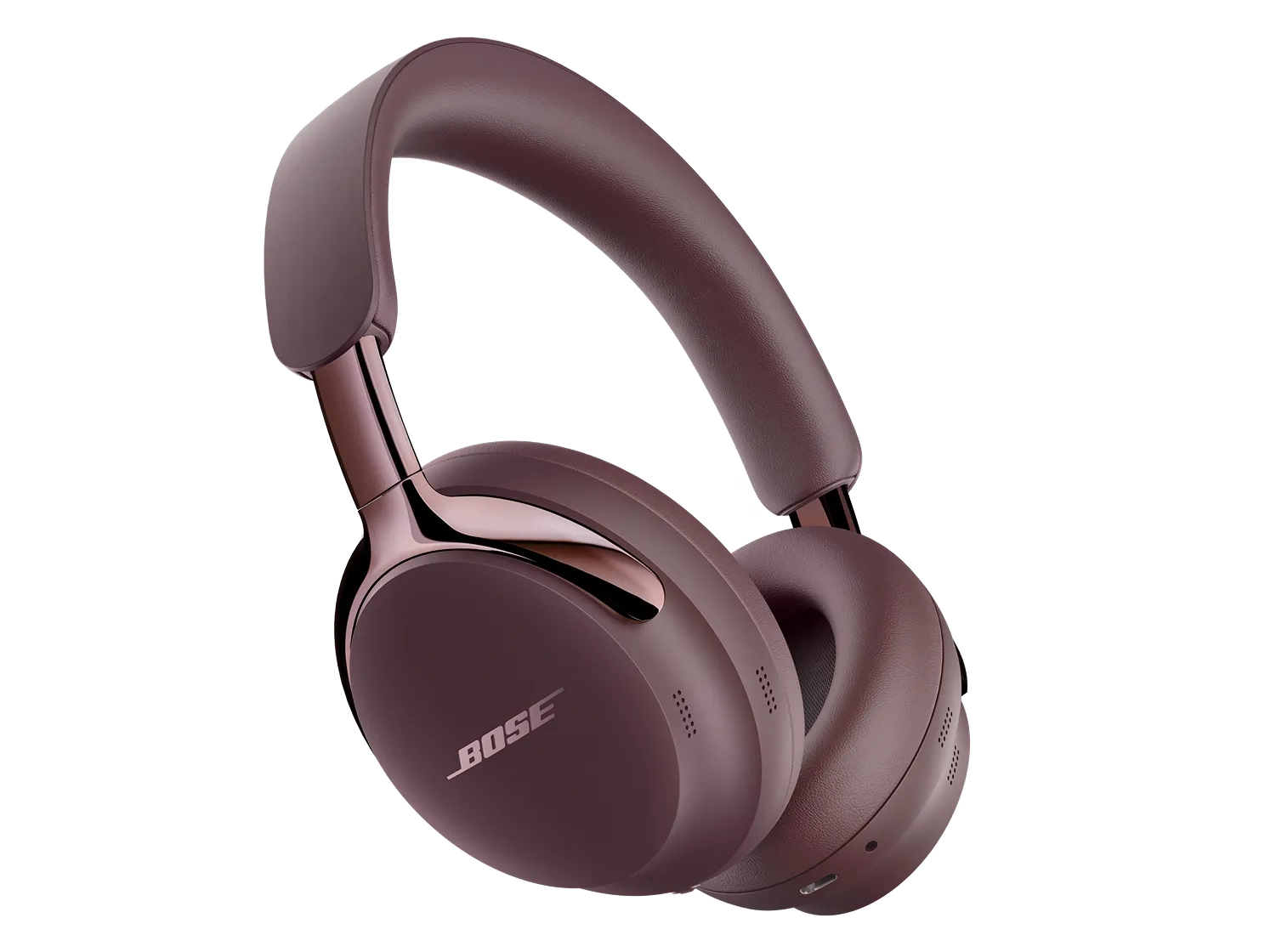
Obsessively engineered with our best noise cancellation and spatialized audio for immersive listening, the QuietComfort Ultra Headphones (2nd Gen) make every note expand, every piece of dialogue hit harder, and every melody take up more space. They’re crafted with luxe materials for unrivalled comfort and premium design, letting you sink deeper than ever into your favourite songs and video content.
4 Interest-free installments with Klarna or Afterpay.
Learn more
QuietComfort Ultra Headphones (2nd Gen) + AirFly Pro Set
Price is: $599.00
Product details
What’s in the box
- Bose QuietComfort Ultra Headphones (2nd Gen)
- Carry case
- 3.5 mm to 2.5 mm audio cable
- USB-C® (C to C) cable (39")
- Safety sheet
USB charger requirement
- The power delivered by the charger must be between the wattages (W) shown in order to achieve the maximum charging speed.
- Power adaptor not included.


| Headphone Fit | Around Ear Circumaural |
|---|---|
| Headband | On Head Adjustable |
| Cushions | Removable Cushion |
| Microphones | Built-in Microphone |
| Noise Cancelling | No |
| Noise Control Type | Adjustable Noise Cancelling, Active Noise Cancelling, Echo Reduction |
| Audio cable included | Yes |
| Entire Product System | 5.55 cm H x 15.55 cm W x 21.35 cm D (0.48 kg) |
| Headphone | 4.5 cm H x 16.0 cm W x 20.5 cm D (0.26 kg) |
| Product Material | Plastic, Aluminum, Leather (Protein) |
| Ear Cushion Material | Protein Leather |
| Rechargeable | Yes |
| Battery Life | 30 hours |
| Battery Charge Time | 3 hours |
| Charging Accessory included | Yes |
| Charging Interface(s) | USB C PORT |
| Wireless Connectivity | Bluetooth, A2DP Bluetooth Audio Streaming, HFP Bluetooth, AVRCP Bluetooth, Bluetooth Low Energy, Snapdragon Sound |
| Bluetooth Version | 5.4 |
| Bluetooth Range | 30 ft. |
| Bose App | Bose App |
USB audio allows you to listen to your audio source through a USB-C wired connection, offering a digital and “lossless” audio quality; hear exactly what was created, without any loss of the original data. This is particularly useful for USB-C source devices, such as computers or mobile devices when gaming or listening to lossless audio files. Over a USB-C connection using USB audio, the QuietComfort Ultra Headphones (2nd Gen) can receive audio signals at 16-bit, 44.1kHz or 48kHz from compatible source files.
In Aware Mode, when ActiveSense is enabled, your headphones will automatically activate and adjust noise cancellation in response to your environment’s noise level in order to keep your surrounding noise levels more constant. This way, you can remain aware of your surroundings, without having your music drowned out by interruptions like loud appliance motor noises, such as a coffee grinder or blender. ActiveSense can be enabled and disabled in the Aware Mode setting.
QuietComfort Ultra Headphones (2nd Gen) have three control inputs on the right earcup: a Bluetooth/power button at the bottom, a multi-function button in the back, and a capacitive volume/shortcut-activation strip along the back edge. Additionally, the headphones are equipped with on-head/off-head detection, which is another way to control the product.
• The Bluetooth/power button is used to power the headphones on/off, put the headphones in pairing mode, cycle through paired devices, and more.
• The multi-function button supports audio playback (e.g., play/pause/skip), telephony (e.g., answer/decline calls), mode switching (e.g., Quiet, Aware, Immersion), and more.
• Swiping along the volume strip changes volume, and pressing and holding it activates a user-configurable shortcut.
• Putting the headphones on and taking them off controls wake/sleep/auto-off and resume/pause. Auto-off can be customized in the Bose app.
QuietComfort Ultra Headphones (2nd Gen) will automatically disconnect after 10 min and then transition to low power (sleep) when they are off your head for a total of 30 minutes. If you prefer to quickly disconnect the headphones within a few seconds, lay them flat on a horizontal surface (earcups facing up or down). To resume using your headphones even days/weeks later, simply put them back on your head, and wait a few seconds for them to power on (listen for tones and voice prompts).
The headphones can also be manually powered on and off using the Bluetooth/power button at the bottom of the right earcup. To turn off, press and hold the Bluetooth/power button until you hear a strum tone, then release the button. To turn back on, press the Bluetooth/power button, and put the headphones back on your head; wait a few seconds for tones and voice prompts (if enabled) to indicate the headphones are ready for playback.
Favourites allow you to choose which listening modes are accessible using the multi-function button on the right earcup. Press and hold the button, and each of your favourite modes is announced in sequence. When you hear the mode you want, release the button.
You can change your favourites in the Bose app. You can save up to 10 favourite listening modes to cycle through from your headphones, but many more listening modes can be set and managed from the Bose app.
A shortcut enables you to quickly and easily access a function of your choice by touching and holding the volume strip on the right earcup of your QuietComfort Ultra Headphones (2nd Gen). By default, the shortcut is turned off. You can turn it on and choose to have the shortcut cycle through Immersive Audio settings (Still, Motion, and Off), activate Spotify Tap, use your mobile device’s voice assistant, or read out the remaining battery life.
QuietComfort Ultra Headphones (2nd Gen) allow you to access your device’s voice assistant (such as Siri, Google, and Bixby). Use the Bose app to set the shortcut to access your voice assistant. When you press and hold the volume strip, your voice assistant will listen for a command from the microphones in your headphones.
Wired USB-C audio will allow for Lossless audio that may be an ideal solution for most gamers. Additionally, users with Snapdragon Sound sources will be able to use the gaming mode feature for lower latency gaming. When “Gaming Mode” is turned on, Snapdragon Sound’s apt-X Adaptive codec will “adapt” for a better mobile gaming experience.
Yes. You can connect the headphones to a mobile device without the app using the mobile device’s Bluetooth settings. However, you need the Bose app to fully enjoy all the features of the product, make settings adjustments, and download updates.
Yes. Connect your headphones to a USB-C powered source to charge your headphones, and wear them as you normally would. Your headphones may take longer to charge than if they were not in use while charging.
No. Avoid using QuietComfort Ultra Headphones (2nd Gen) in situations where they may get wet.
Product Added to cart Extended warranty modal
Protect your Bose with an extended warranty plan
